Hitachi Vantara publishes no percentage weightings for HQT-6230, which leaves every section of it equally worth revising. The Qualified Professional exam for VSP One File Administration runs 35 questions in 60 minutes, asks for 65 percent to pass, costs $100 USD, and is booked through Kryterion Webassessor rather than Pearson VUE.
Two things about it catch candidates out. First, eleven separate topic sections share those 35 questions, which is roughly three questions each, so the paper is wide and shallow rather than deep anywhere. Second, the exam covers both VSP One File model 30 and the Hitachi NAS Platform model 5000, which means half the vocabulary you need is filed under a product name Hitachi has since replaced. This article maps the eleven sections, untangles the naming, and sets out a preparation approach shaped to a breadth exam.
What Is VSP One File, and What Happened to Hitachi NAS?
VSP One File is Hitachi Vantara’s current name for its file storage line, and the platform it names is the direct descendant of Hitachi NAS. The exam covers both explicitly: VSP One File models 30 and Hitachi NAS Platform models 5000. Nothing was thrown away in the rename, which is why the syllabus still opens with a section called Hitachi NAS overview.
That matters for study material more than for the exam itself. Search for cluster name space or enterprise virtual server documentation and most of what you find will be filed under HNAS or NAS Platform. It is the right material. The names on the front changed; the architecture underneath did not.
Why the syllabus keeps both names
Hitachi’s customers do not all upgrade at once. An administrator certified today may run a 5000 series unit for years, so an exam that only described the new model would be useless to half its audience. Hitachi actively markets the current line on its file storage product page, but the credential deliberately spans both generations.
What Does the HQT-6230 Credential Prove?
It proves you can administer a Hitachi file storage system in a production environment. The exam description names the audience directly: Hitachi Vantara customers who use and administer these systems, plus employees and partners. It validates knowledge of system configuration and recommended management practice, not design or installation.
The administration framing is worth taking literally. Installation has its own separate code, HQT-4230, and the two do not overlap much. This exam assumes the hardware is racked, cabled, and running, and asks whether you can operate it.
Where it sits in the Hitachi catalogue
Hitachi’s Qualified Professional tier is broad, with separate codes for block storage, object storage, replication, and the Ops Center management suite. HQT-6230 is the file storage administration entry in that tier. A reader mapping the whole ladder will find the family laid out on CertificationBox’s Hitachi Vantara certification hub.
What Do the Eleven Sections Cover?
Everything from the architecture overview through to a data migration, with no percentage weightings published for any of them. Eleven sections across 35 questions works out at roughly three questions each, which is the single most useful number on this page: no section is worth more than a handful of marks, and none can be skipped.
| Section | What it covers |
|---|---|
| Hitachi NAS overview | The systems, their architecture and functionality, and software licence management |
| SMU NAS Manager and File Administrator | Using the two graphical management interfaces |
| Configuration and management | Cabling and network connectivity, management services, and the command line interface |
| Clustering | Clustering concepts, Cluster Name Space and cluster read cache |
| Networking | Network setup, link aggregation groups, and vlan tagging |
| Storage pools | System drive characteristics and tiered storage pool setup and use |
| Enterprise Virtual Servers | Creating an EVS, plus EVS security and level routing |
| File systems | Structure, specifications and limits, features, deduplication, virtual volumes and quotas |
| Access protocols | NFS and SMB shares and exports across Windows and Unix or Linux, and protocol security |
| Data protection | Snapshots and cloning, object replication, file replication, high availability and disaster recovery |
| Migration | Data migration concepts and how to carry one out |
With no weightings to guide triage, question exposure becomes the only calibration available before exam day, which is what the VSP One File practice questions are useful for.
What Do You Manage It With, and How?
Three surfaces, and the exam names all of them. NAS Manager runs on the System Management Unit and is the traditional administrative interface. File Administrator is the newer, task-focused interface. The command line interface sits underneath both and appears in its own objective within the configuration and management section.
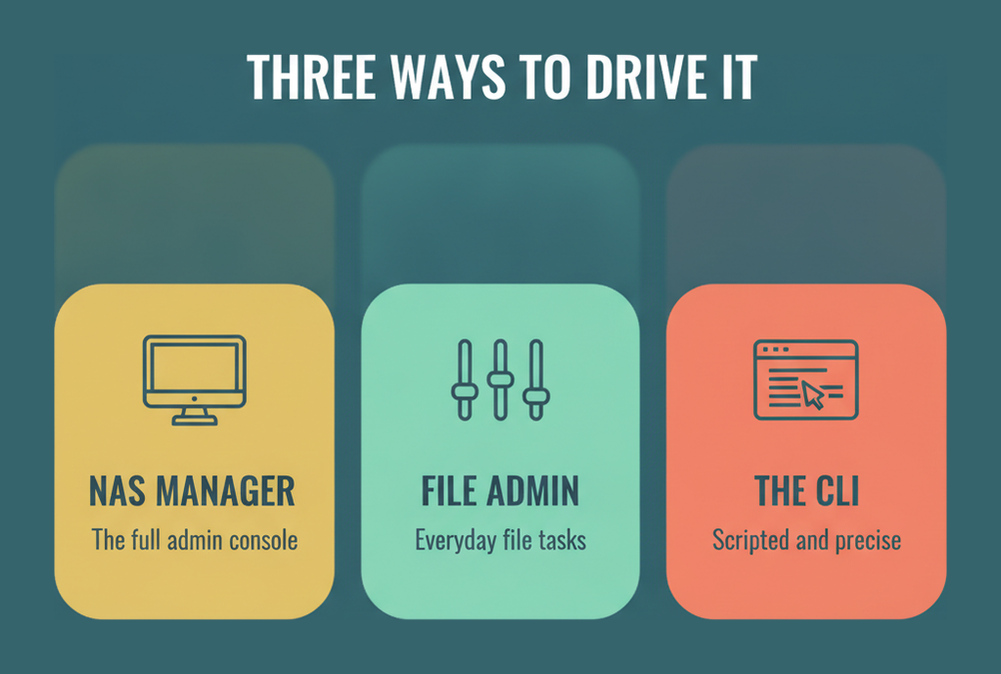
Expect questions that ask which interface a given task belongs to rather than questions about a specific menu. That is a fair test of real familiarity: an administrator who has only ever used one surface will not know what the others are for.
What sits alongside the interfaces
The same section covers cabling and network connectivity and the management services running on the system. Those are unglamorous, and they are exactly where a real deployment goes wrong. Software licence management appears earlier, in the overview section, and is worth a specific look because licensing gates features rather than capacity on this platform.
How Are Clustering and Enterprise Virtual Servers Examined?
As two separate sections, and together they are the conceptual heart of the platform. Clustering covers the concepts plus two named features: Cluster Name Space and cluster read cache. Enterprise Virtual Servers covers creating an EVS and then its security and level routing.
An Enterprise Virtual Server is the platform’s unit of tenancy. Rather than one monolithic file server, the system presents multiple logical servers, each with its own network identity, its own file systems, and its own security context. Understanding that one idea makes several other sections fall into place.
Cluster Name Space in one sentence
CNS presents file systems spread across a cluster as a single unified namespace, so a client sees one tree rather than a set of separate mount points. That is what allows capacity to move between nodes without every client being reconfigured, and it is the sort of concept the exam is far more likely to test than any command.
Networking sits between the two in the syllabus and supports both: link aggregation groups for throughput and resilience, and vlan tagging so a single physical link can carry traffic for several EVS network identities.
What Does the Exam Expect on Storage Pools and File Systems?
Storage pools covers system drive characteristics and how tiered pools are set up and used. File systems is the larger of the two, covering structure, specifications and limitations, platform-specific features, deduplication concepts, and how virtual volumes and quotas are used. Both are configuration subjects rather than theory.
The specifications and limitations objective deserves particular attention because it is the one that rewards flat memorisation. Maximum file system size, maximum number of file systems, and similar boundaries are the kind of fact an exam can ask cleanly and an administrator rarely remembers.
Virtual volumes and quotas
A virtual volume carves a subtree out of a file system and treats it as an administrative unit, so quotas can apply to a project or a department rather than to a whole file system. That decoupling is what makes quota management workable at scale, and it pairs naturally with the EVS tenancy model above.
Deduplication appears as a concepts objective rather than an implementation one, so expect to be asked what it does to capacity and what it costs in processing rather than how to configure it.
Which Access Protocols and Data Protection Features Are Named?
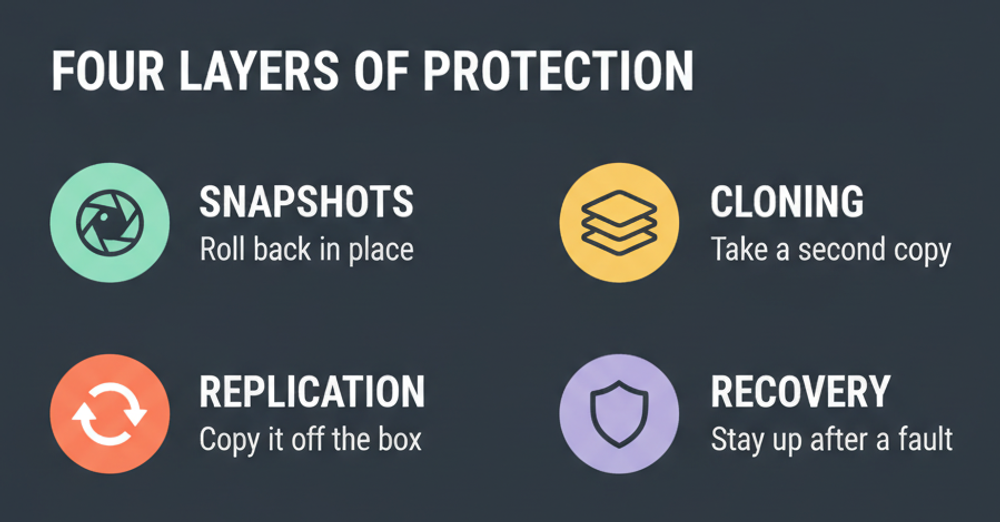
Access protocols covers NFS and SMB shares and exports across Windows and Unix or Linux environments, plus protocol security and which protocols the platform supports. Data protection covers four things: snapshots and cloning, object replication, file replication, and high availability with disaster recovery.
Serving the same data to Windows and Unix clients at once is where file storage gets genuinely difficult, because the two worlds disagree about identity and permissions. Expect questions about how the platform reconciles that rather than about share creation.
Two replication mechanisms, not one
Object replication and file replication are listed separately because they work differently and suit different recovery objectives. Knowing which one a given scenario calls for is more testable than either mechanism’s configuration, and the high availability and disaster recovery objective sits on top of both.
For the protocols themselves, the primary sources are worth a look if your background is one-sided: NFS version 4 is specified in IETF RFC 7530, and the SMB protocol overview covers the Windows side that the same syllabus section names.
How Much Migration Knowledge Is Required?
Two objectives: data migration concepts, and how to perform a migration with these systems. It is the smallest section on the syllabus and the last one listed, but it is also the task most administrators actually get handed when a 5000 series unit reaches end of life and a VSP One File model 30 arrives beside it.
The concepts half is about what makes a migration safe: how cutover is sequenced, what happens to in-flight changes, how permissions and identity mapping survive the move, and how you verify that what arrived matches what left.
Why it sits last but reads first in practice
Everything else on the syllabus is a prerequisite for this section. You cannot migrate data between systems without understanding EVS, file systems, access protocols, and replication, which is presumably why Hitachi placed it at the end. Candidates who study in syllabus order will find it the easiest section by the time they reach it.
Administrators comparing this against the block and management side of the catalogue will find the parallel exam covered in CertificationBox’s HQT-6742 administration guide, which shares the VSP One generation but examines an entirely different surface.
What Is the Exam Format, Cost and Booking Route?
Thirty-five questions in 60 minutes, a 65 percent pass mark, and $100 USD. Registration goes through Kryterion Webassessor rather than Pearson VUE, which surprises candidates who go looking for it on the usual platform. Sixty minutes across 35 questions gives you a little over 100 seconds each.
| Specification | Detail |
|---|---|
| Exam name | VSP One File Administration Professional |
| Exam number | HQT-6230 |
| Questions | 35 |
| Duration | 60 minutes |
| Passing score | 65% |
| Price | $100 USD |
| Recommended training | TCI2910, Managing Hitachi VSP One File Platform, 5 day instructor led |
| Registration | Kryterion Webassessor |
At $100 this is the least expensive exam of its tier by a wide margin, and the pass mark of 65 percent means 23 of the 35 questions. Booking runs through Kryterion Webassessor, and the recommended five day course is delivered through the Hitachi Learning Center, which is described on Hitachi’s training and certification page.
How Should You Prepare for a Broad, Shallow Exam?
Cover everything once, well, and resist the urge to go deep anywhere. With eleven sections and 35 questions, the difference between knowing a section adequately and knowing it thoroughly is worth perhaps one mark. The difference between knowing a section and skipping it is worth three.
- Start with the architecture overview and fix the vocabulary first, because EVS, cluster name space, storage pool, and virtual volume recur across five later sections and nothing else makes sense until they do.
- Work the two management interfaces next, learning which task belongs to NAS Manager and which to File Administrator, since that division is far more testable than any individual screen.
- Take clustering, networking, and Enterprise Virtual Servers as a single block, because link aggregation and vlan tagging exist to serve the EVS network identities and the three sections only make sense together.
- Move on to storage pools and file systems, and memorise the published specifications and limitations flatly, since those are the cleanest questions on the paper and the least likely to be recalled from daily work.
- Finish with access protocols, data protection, and migration, treating the two replication mechanisms as a comparison and the migration section as the place where every earlier topic is applied at once.
One practical note on sources. Because so much documentation still carries the HNAS and NAS Platform names, search on the older terms as well as the new ones. Material written for the 5000 series is on syllabus, not out of date.
Frequently Asked Questions
How many questions are on the HQT-6230 exam?
35 questions in 60 minutes, with a 65 percent pass mark. That means 23 correct answers, and just over 100 seconds per question.
How much does the VSP One File administration exam cost?
$100 USD, which is notably low for a professional-tier certification. The recommended five day course, TCI2910, is priced separately through the Hitachi Learning Center.
Where do you book the exam?
Through Kryterion Webassessor rather than Pearson VUE. This catches out candidates who assume the usual delivery platform and cannot find the exam listed there.
Does HQT-6230 still cover Hitachi NAS Platform?
Yes. The exam description states it covers Hitachi VSP One File models 30 and Hitachi NAS Platform models 5000, so both generations are on syllabus and older documentation remains relevant.
Are section weightings published for this exam?
No. Eleven sections are listed with no percentages attached. With only 35 questions in total, that works out at roughly three questions per section, so no section can safely be skipped.
What is an Enterprise Virtual Server?
A logical file server within the physical system, with its own network identity, file systems, and security context. It is the platform’s unit of tenancy and has its own syllabus section covering creation, security, and level routing.
What does Cluster Name Space do?
It presents file systems spread across a cluster as one unified namespace, so clients see a single tree instead of separate mount points. That is what lets capacity move between nodes without reconfiguring every client.
Which access protocols does the exam cover?
NFS and SMB, including shares and exports in both Windows and Unix or Linux environments, plus protocol security and which protocols the platform supports. Mixed-environment identity handling is the hard part.
What is the difference between object replication and file replication?
They are listed as separate objectives because they work differently and suit different recovery objectives. The exam is more likely to ask which one a scenario calls for than how either is configured.
Is HQT-6230 the same as the installation exam?
No. Installation is a separate code, HQT-4230, covering VSP One File installation. HQT-6230 assumes the system is already installed and running, and examines administration and management practice.
Conclusion
HQT-6230 is an unusually wide exam on an unusually small paper. Eleven sections, 35 questions, no published weightings, and a syllabus that deliberately spans two product generations because Hitachi’s customers run both.
Prepare it accordingly. Fix the platform vocabulary first, cover every section once rather than any section twice, and search documentation under the old NAS Platform names as well as the new VSP One ones. Check the current section list and question style on the money site before booking, and remember that the booking itself happens on Kryterion, not Pearson VUE.


