At nine on Monday morning nobody asks who built the dashboard, only why it will not load. Answering that is the job behind the QSSA exam, Qlik’s certification for professionals who deploy and manage Qlik Sense Enterprise on Windows. It proves you can plan infrastructure, install single and multi-node environments, secure the platform, and keep it healthy in production. Unlike analyst-focused Qlik exams, the QSSA sits firmly on the operations side of the platform. It targets the engineers who keep dashboards running rather than the people building them. This guide breaks down the exam format, the four official domains and their weightings, the hands-on Qlik Sense skills each domain assesses, and the career outcomes that follow. If you administer a Qlik environment or want to move into that role, here is what the credential asks of you and how to get ready for it.
What Is the Qlik Sense System Administrator (QSSA) Certification?
The Qlik Sense System Administrator certification (QSSA) validates that an IT professional can install, configure, secure, and maintain Qlik Sense Enterprise on Windows. Issued by Qlik, it confirms operational command of the platform rather than dashboard design. The exam suits administrators responsible for deployment architecture, user access, and day-to-day platform health across single and multi-node sites.
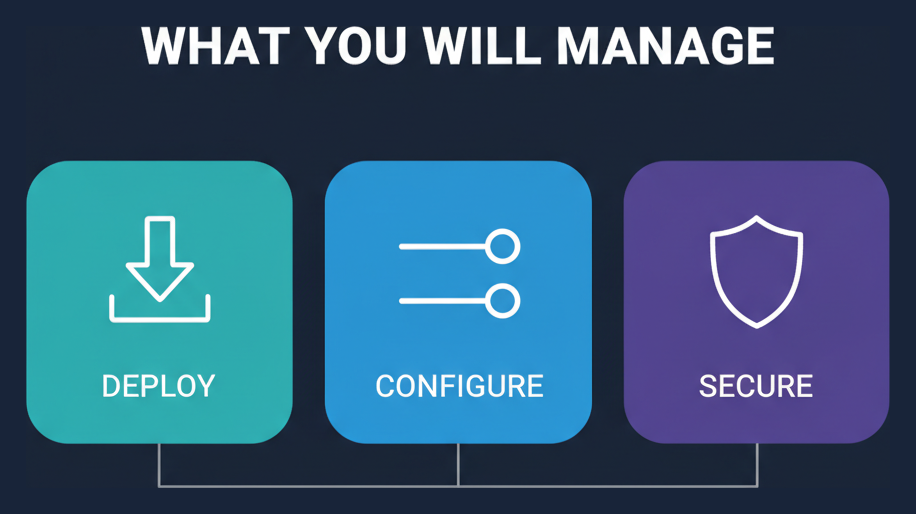
This credential answers a specific hiring need. Organizations running Qlik Sense at scale need someone who understands the server tier, not just the visualization layer. That means Windows services, certificate handling, Active Directory integration, and the Qlik Management Console (QMC). The QSSA signals that you can own those responsibilities.
It also sits within a broader family of role-based Qlik credentials. Analysts pursue the business analyst track, data professionals pursue the data architect track, and infrastructure engineers pursue this administrator track. If you are weighing which route fits your work, browsing existing Qlik certification guides helps you see how the roles differ before you commit study time.
What Does the QSSA Exam Format Look Like?
The QSSA exam contains 50 questions and gives you 120 minutes to complete them. You need a score of 62% to pass, and the exam fee is $250 USD. Questions are multiple choice and scenario based, focusing on real administrative decisions such as node roles, persistence type, and security rule logic rather than rote definitions. The Qlik data movement track runs alongside the platform administration path, and the Qlik Replicate design domains weights design most heavily.
Because the pass mark and timing are fixed, pacing matters. With 120 minutes across 50 questions, you have a little over two minutes per item, which is comfortable if you know the platform but tight if you are guessing through scenario wording. The table below summarizes the core specifications.
| Specification | Detail |
|---|---|
| Exam code | QSSA |
| Certification name | Qlik Sense System Administrator |
| Number of questions | 50 |
| Duration | 120 minutes |
| Passing score | 62% |
| Exam cost | $250 USD |
| Question format | Multiple choice, scenario based |
To rehearse under similar timing and phrasing, many candidates work through a set of QSSA practice questions before booking the real exam. Simulated attempts expose weak domains early, while your schedule still allows time to fix them.
Which Domains Does the QSSA Exam Cover?
The QSSA exam is organized into four official domains: Installation, Configuration, Security and Licensing, and Monitor, Troubleshoot, and Maintenance. Configuration carries the heaviest weight at 32%, followed closely by Installation at 30%. Together those two domains account for well over half the exam, so deployment and QMC administration deserve the bulk of your preparation.
The weightings tell you where to invest. A domain worth 32% will shape far more questions than one worth 16%, so plan your study hours to match. The table below reproduces the official domain breakdown.
| Domain | Weight | Key objectives |
|---|---|---|
| Installation | 30% | Plan the infrastructure for the Qlik Sense deployment; install Qlik Sense Enterprise on Windows using Shared Persistence; deploy single and multi-node configurations. |
| Configuration | 32% | Create and manage streams and applications; create and manage automated tasks based on triggers; create and manage load balancing rules; create and manage AD connections and synchronize users and groups; configure nodes to meet business needs. |
| Security and Licensing | 16% | Describe the Qlik Sense licensing model; configure user license access; apply Qlik Sense Enterprise security rules. |
| Monitor, Troubleshoot, and Maintenance | 22% | Monitor app issues; monitor and troubleshoot typical system issues; perform server maintenance. |
Each domain maps to a concrete part of the administrator’s job. The sections that follow walk through what each one asks you to demonstrate in practice.
How Do You Install Qlik Sense Enterprise on Windows?
The Installation domain, worth 30% of the QSSA exam, tests your ability to plan infrastructure and install Qlik Sense Enterprise on Windows using Shared Persistence. You must be able to deploy both single-node and multi-node configurations and choose the right topology for a given workload. This is the foundation every other administrative task depends on.
Why Shared Persistence Matters
Shared Persistence is the current storage architecture for Qlik Sense Enterprise. It stores the repository database and application files in a central location that every node reads from, which is what makes multi-node scaling possible. The exam expects you to know why Shared Persistence replaced older synchronized persistence and how it changes deployment planning.
Single-Node Versus Multi-Node Planning
A single-node install places every Qlik service on one machine, which suits small teams and test environments. Multi-node deployments split roles across servers to handle more users and heavier reloads. Common planning decisions include:
- Separating a central node from scheduler, engine, and proxy nodes
- Sizing RAM for in-memory app data on engine nodes
- Placing the repository database on dedicated or clustered infrastructure
- Provisioning shared file storage that all nodes can reach reliably
Study the official Qlik Sense deployment documentation to see how Qlik frames these planning examples. Hands-on practice building at least one multi-node site cements the concepts far better than reading alone.
What Configuration Skills Does the QMC Test?
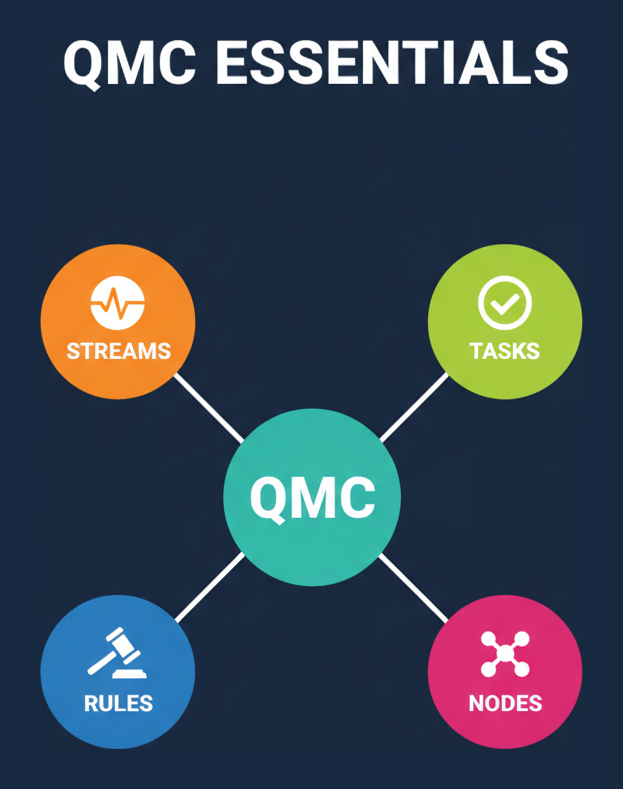
Configuration is the largest QSSA domain at 32%, and nearly all of it lives in the Qlik Management Console. The exam checks that you can create and manage streams and applications, build automated tasks based on triggers, define load balancing rules, connect to Active Directory, and configure nodes to meet business needs. These are the daily controls an administrator touches most.
Streams, Apps, and Task Automation
Streams organize published apps and control who can see them, so stream design directly shapes governance. Reload tasks keep app data current, and the exam expects you to chain them using triggers. Task triggers generally fall into these types:
- Scheduled triggers that run reloads at set times
- Task-event triggers that start a task when another finishes
- Composite triggers combining multiple conditions
Load Balancing and Active Directory
Load balancing rules decide which engine nodes serve which apps, letting you steer heavy workloads away from constrained servers. Active Directory integration lets Qlik Sense import users and groups so access rules can reference familiar organizational identities. You should be comfortable creating a user directory connector, synchronizing accounts, and configuring node purposes so a deployment behaves the way the business requires.
How Does Qlik Sense Handle Security and Licensing?
The Security and Licensing domain accounts for 16% of the QSSA exam. It asks you to describe the Qlik Sense licensing model, configure user license access, and apply Qlik Sense Enterprise security rules. Although it is the smallest domain by weight, it governs who can enter the platform and what they can do once inside, so mistakes here have outsized consequences.
The Licensing Model
Qlik Sense uses a capacity and user based licensing model, and administrators assign access through the QMC. You need to understand how professional and analyzer access differ, how to allocate and reclaim licenses, and how license rules interact with user attributes. Getting allocation right controls both cost and user experience.
Security Rules
Security rules are the heart of Qlik Sense authorization. Each rule combines a resource filter, conditions, and actions to decide what a user or group may read, update, or publish. The exam expects you to read a rule and predict its effect, then write rules that grant least-privilege access. Understanding rule evaluation order and how attribute-based conditions resolve is essential to passing this domain and to securing a real environment. Qlik describes the underlying platform capabilities on its Qlik Sense admin documentation for readers who want broader product context.
How Do Administrators Monitor and Troubleshoot Qlik Sense?
The Monitor, Troubleshoot, and Maintenance domain carries 22% of the QSSA exam. It tests whether you can monitor app issues, diagnose typical system problems, and perform routine server maintenance. This domain reflects the reality that a Qlik Sense deployment is never finished; it needs continuous care to stay fast and reliable.
Built-In Monitoring Apps
Qlik Sense ships with governance and monitoring apps such as the Operations Monitor and License Monitor. These surface reload failures, session load, engine performance, and license consumption. The exam expects you to know which app answers which question, so you can move from a symptom to a root cause quickly.
Common Troubleshooting and Maintenance Tasks
Typical system issues include failed reloads, certificate errors between nodes, and services that will not start. Effective administrators follow a repeatable approach:
- Check service status and the relevant Qlik logs first
- Confirm node-to-node certificate trust is intact
- Review resource usage on the affected engine or scheduler node
- Validate connections and data sources feeding failing apps
Routine maintenance such as log rotation, backups of the repository, and capacity reviews keeps small problems from becoming outages. The exam rewards candidates who think in terms of prevention, not just recovery.
How Should You Prepare for the QSSA Exam?
Preparing for the QSSA exam works best when you combine hands-on platform time with structured review of the four domains. Because Configuration and Installation together make up 62% of the exam, most of your effort should go into building and administering real Qlik Sense environments rather than memorizing facts. A practical, lab-driven plan beats passive reading every time.
A reliable study sequence looks like this:
- Read the official exam blueprint and map every objective to a hands-on task
- Install a single-node environment, then rebuild it as a multi-node site
- Practice QMC work: streams, reload tasks, load balancing, and AD sync
- Write and test several security rules until you can predict their behavior
- Explore the monitoring apps and deliberately break, then fix, a reload
- Take timed practice exams to check pacing and expose weak domains
Register through the official Qlik certification program to confirm current scheduling and delivery details. Reserve your final week for reviewing the domains where practice scores lagged, and avoid cramming new topics the night before.
What Career Paths Open Up After QSSA Certification?
The QSSA certification positions you for infrastructure and platform roles centered on business intelligence operations. Common titles include Qlik Sense administrator, BI platform engineer, and analytics infrastructure specialist. Because the credential proves you can run a production analytics platform, it also strengthens candidacy for broader data platform and DevOps-adjacent positions where reliability and access control matter.
Administrators who hold the QSSA often progress along a clear trajectory:
- From Qlik Sense administrator to senior BI platform engineer
- Into analytics architecture, designing multi-node deployments for large organizations
- Toward managed-service and consulting roles supporting multiple Qlik clients
The credential also pairs naturally with adjacent Qlik roles. If your team also needs analyst skills, understanding the Qlik Sense Business Analyst path shows how administration and analysis complement each other on the same platform. Qlik itself has grown into a broad data and AI vendor, and you can read more about the Qlik analytics company to understand the ecosystem your skills support.
Frequently Asked Questions
What is the QSSA certification?
The QSSA is Qlik’s Qlik Sense System Administrator certification. It validates that you can install, configure, secure, monitor, and maintain Qlik Sense Enterprise on Windows across single-node and multi-node deployments, focusing on platform operations rather than dashboard design.
How many questions are on the QSSA exam?
The QSSA exam has 50 questions and a time limit of 120 minutes. Questions are multiple choice and scenario based, testing administrative decisions such as node roles, Shared Persistence, security rules, and troubleshooting rather than simple recall.
What score do you need to pass the QSSA exam?
You need to score 62% to pass the QSSA exam. With 50 questions, that means answering the majority correctly, so consistent performance across all four domains matters more than mastering only one area.
How much does the QSSA exam cost?
The QSSA exam costs $250 USD. It is a good idea to confirm current pricing and scheduling through the official Qlik certification channel before booking, since fees and delivery options can change over time.
Which QSSA domain is weighted the most?
Configuration carries the highest weight at 32%, followed by Installation at 30%. Monitor, Troubleshoot, and Maintenance accounts for 22%, and Security and Licensing accounts for 16%, so QMC administration deserves the most study time.
What is Shared Persistence in Qlik Sense?
Shared Persistence is the storage architecture where the repository database and application files live in a central shared location that all nodes access. It is the mechanism that makes multi-node Qlik Sense Enterprise deployments possible and is a core Installation topic.
Do you need programming skills for the QSSA?
The QSSA focuses on platform administration, not scripting or app development. You need strong Windows server, networking, certificate, and Active Directory knowledge, plus fluency in the Qlik Management Console, rather than data modeling or coding expertise.
How long does it take to prepare for the QSSA exam?
Preparation time varies with experience, but administrators with hands-on Qlik Sense exposure often need a few weeks of focused study. Building and troubleshooting a real multi-node environment shortens the path more than any amount of passive reading.
Is the QSSA different from the analyst and data architect exams?
Yes. The QSSA covers platform administration, while the business analyst exam covers app design and the data architect exam covers data modeling. They target different roles on the same Qlik Sense platform and validate distinct skill sets.
Final Thoughts on Earning the QSSA
The Qlik Sense System Administrator certification proves you can stand up and run a Qlik Sense Enterprise platform with confidence. Its four domains map cleanly to the real work of installation, QMC configuration, security and licensing, and ongoing monitoring, so the study you do translates directly into job-ready skill. Weight your preparation toward Configuration and Installation, spend real time in a multi-node lab, and rehearse security rules until their behavior is obvious. When you are ready to test your readiness under exam-like conditions, working through a focused set of QSSA practice questions is the most reliable way to find and close your remaining gaps before exam day.


